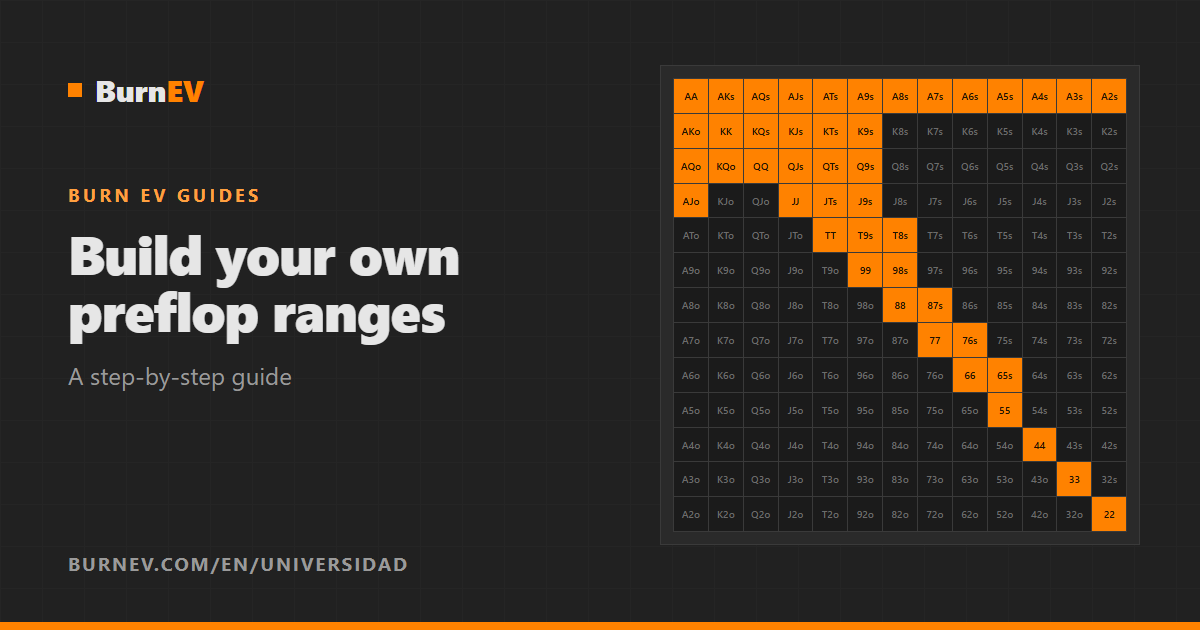
Having your own preflop ranges, organized and adapted to your game, is what separates players who really study from those who collect random screenshots of charts. In this guide we explain how to build them from start to finish: where to get the information, how to organize it so it’s easy to study and how to create each chart step by step in the Burn EV range editor.
Where to get your preflop ranges
Before you paint anything, decide where the actions come from. The most common sources are:
- Solvers and calculators (GTO and ICM): they give very precise strategies, but often full of frequencies that are hard to remember.
- Your coach or poker school: ranges that are already simplified and adapted to your stakes.
- Your own experience: adjustments on top of a solid baseline, based on how your usual opponents play.
Tip
Simplify. If a hand is played 85% raise and 15% call, paint it as a raise. A range you remember 95% of is worth more than a perfect one you remember 60% of.
Organize before you paint
How you organize your ranges determines how easy they’ll be to study. In Burn EV they’re organized on four levels:
| Level | What it is | Example |
|---|---|---|
| Range set | The complete collection of ranges saved in your account | “MTT 2026” |
| Spot | A game situation | “BTN vs BB” |
| Subcategory | A variant of the spot, with its own actions | “Open raise”, “Limp vs iso” |
| Chart | The 169-hand matrix for one effective stack | “20+”, “12”, “2-6” |
A good rule of thumb: one spot per situation that keeps coming up at the table and one chart per stack depth you want to distinguish. Start with the most frequent situations (opening from each position, defending the big blind) and add the rest gradually.
Step 1: define your actions (legends)
Each action is a legend with a short name and a color: “Raise” in orange, “Call” in green, “3bet” in red… Legends are organized into groups, and each subcategory uses one group. That way you can have one group for opens (raise / fold) and another for playing against a limp (iso / call / fold), each with its own actions.
- Create them under Settings › Legends or when you create the subcategory.
- Pick a text color that’s easy to read on the background.
- Use short names: they’re the buttons you’ll see when you practice.
Legends are saved to your account as soon as you create or edit them.
Step 2: create the spot and its subcategories
- Click + Spot in the side panel and give it a clear name, for example “BTN vs BB”. You can choose the title color for its charts.
- With the spot selected, click + Subcategory, name it (“Open raise”) and choose its legend group.
- Repeat for each variant of the spot. You can drag subcategories to reorder them.
Step 3: add one chart per stack depth
With the subcategory selected, click + Add chart and enter its effective stack. You don’t need to type the title: you choose the type and the number and the editor builds it for you.
| Stack type | Example | Meaning |
|---|---|---|
| Greater than | 20+ | 20bb or more |
| Range | 12-15 | From 12 to 15bb |
| Less than | -5 | Up to 5bb |
The stack isn’t decorative: it’s the one shown in every question when you practice, just like at the table. If two charts are similar, use Duplicate to create the second one from the first and change only the edges.
Step 4: paint the hands
- Charts start locked (🔒) to prevent accidental changes. Click the padlock to unlock.
- Pick a legend in the panel above the charts.
- Click a hand to paint it, or click and drag to paint several in a row.
- To erase, turn on the eraser (🗑) and click or drag over the hands.
- When you’re done, lock the chart again.
Trick
Paint in blocks: first all the pairs, then the suited aces, then each suited row up to its edge and, finally, the offsuit hands column by column. It’s faster and helps you memorize the shape of the range.
Create your first range set in a few minutes. You get 14 days to try the editor, practice modes and viewer.
Step 5: mixed hands
Some hands are played with several actions at a given frequency, for example 70% call and 30% 3-bet. To paint them:
- Tick Multi Legend.
- Select between 2 and 4 legends.
- Enter the percentage for each one (they must add up to 100%).
- Paint as usual: the square splits into stripes with the color of each action.
With Copy style you take the split of a hand you’ve already painted and repeat it on others. When you practice, any of the actions of a mixed hand counts as correct.
Example · subcategory with mixed hands
Raise: 22+, A2s+, K6s+, Q8s+, J8s+, T8s+, 97s+, 87s, 76s, 65s, ATo+, KJo+, QJo. Call: KTo, QTo, JTo, A9o-A8o. Mixed raise/call: A9s-A6s.
Step 6: save, review and train
- Save with File ▾ › Save ranges. Changes to your charts stay in the browser until you save (if you try to leave with unsaved changes, the editor warns you).
- Review the set in the viewer, where nothing can be changed by mistake. From there you can export your charts to PNG or PDF.
- Train in practice mode: select the new charts and use the hand quiz. We explain the full method in how to memorize poker ranges.
Have ranges from an older version in XML? Import them from File ▾ › Load ranges › Import old XML, and their legends are added to your groups. You’ll find all the details in the Burn EV documentation (the editor section is available once you log in).
Frequently asked questions
How many ranges can I save?
It depends on your plan. The Free plan includes 1 range set; Basic, 2; Pro, 5; and the School plan, up to 20.
Can I use ranges from a solver?
Yes. Copy its actions into your charts, simplifying the small frequencies. You can reflect the important mixed hands with the Multi Legend option.
Which stack should I set on each chart?
The effective stack that range is valid for: an exact number (12), an interval (12-15), or a minimum or maximum (20+, -5). It’s the stack practice mode will quiz you with.
Can I share my ranges with other players?
Yes. With the School plan you share your range sets with your students and decide whether they can view, practice or export them.
If you’re a coach, the next step is to share your ranges with your students.